
 FatPirate Casino
Is There a FatPirate App?
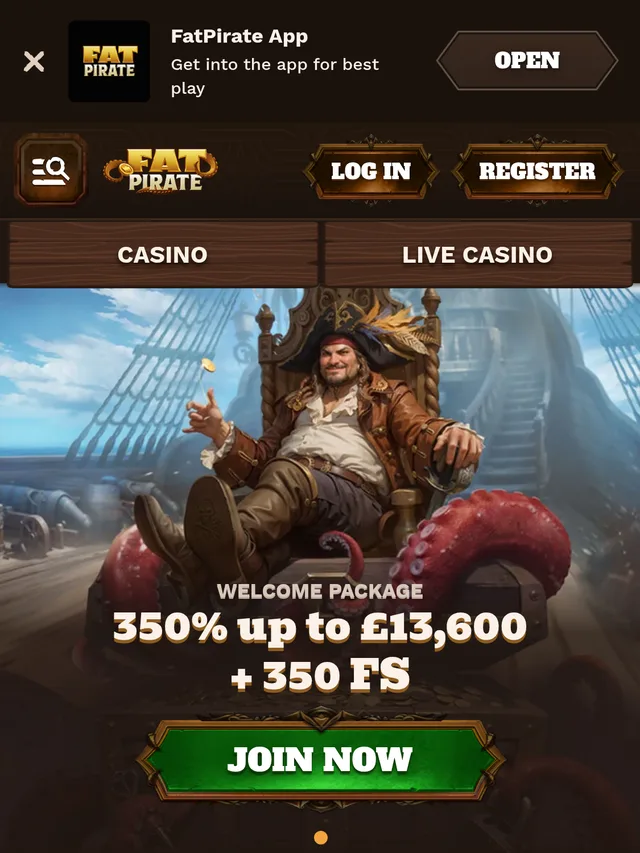
No. As of July 28, 2026, FatPirate Casino has no native app of any kind: no Android APK, no iOS app, no listing in Google Play or the App Store. The entire platform, all 8,210 slots the official counter showed when I last checked, runs through your phone’s browser as an HTML5 instant-play site. Every major review database I cross-checked (PlayCasino, SlotsUp, WizardOfOdds) records the same thing, and fatpirate.com itself offers browser play only.
Which brings us to the reason this page exists.
If a website offers you a “FatPirate APK” or an “official FatPirate app download”, it is not an official source. FatPirate sits at the centre of a swarm of affiliate mirror sites (fatpirate-uk.org, fat-pirate.ca and similar) that publish fabricated claims, including fake UK licence numbers, and a sideloaded APK from an unknown domain is a classic malware delivery route. An installer file can request SMS, contact and screen-overlay permissions that a browser tab never could. Since there’s nothing legitimate to download, anything you’re asked to install is, at best, a wrapper someone else built and, at worst, spyware dressed up as a casino.
This page covers mobile play only: what the browser version does well, where it stutters, and how to pin it to your home screen so it behaves almost like an app. For the full platform breakdown, read our FatPirate casino review; for the licensing problems (there are real ones), see our investigation into whether FatPirate is legit.
How the Mobile Site Held Up in My Testing
I ran FatPirate’s mobile site across four sessions between July 21 and July 26, 2026, on two devices: a Samsung Galaxy S25 (Android 15, Chrome) and an iPhone 17 (iOS 19, Safari), switching between home Wi-Fi and 4G. I signed up with a Gmail address, browsed the lobby, ran slot demos from Pragmatic Play and Hacksaw Gaming, and opened live-dealer tables. The timings below are my own stopwatch measurements rather than published specs; FatPirate keeps its mobile performance data entirely to itself.
What works
Day-to-day slot play is honestly fine. On the Galaxy S25 over Wi-Fi, the lobby settled in about four seconds and individual slots opened in three to five. Games auto-rotate to landscape, the search bar finds titles by name or provider, and the cashier and 24/7 live-chat widget are both reachable within two taps. The iPhone 17 behaved almost identically in Safari, and the layout scaled cleanly on both screens, with every button staying comfortably tappable. The site runs in 19 languages, and the language switcher carried over to mobile without breaking anything, which is more than I can say for some licensed rivals I’ve tested.
What lags
Live-dealer streams are the weak spot. On 4G, an Evolution roulette table took roughly eight seconds to buffer and stuttered twice in a ten-minute sitting; on Wi-Fi it was smooth. Scrolling deep into the slots lobby, past a few hundred thumbnails, produced visible jank on both phones. And once, mid-demo on July 24, the session simply logged me out and dumped me back at the home page, spin history gone. I can’t promise you’ll hit the same snags, but player complaints on Casino Guru mention game lag and disconnects too, so my logout probably wasn’t just my router having a bad evening.
Depositing and cashing out from a phone
The mobile cashier mirrors desktop. Confirmed deposit options include Visa and Mastercard, Skrill, Neteller and around nine cryptocurrencies (BTC, ETH, LTC, XRP, USDC, ADA, DOGE, USDT among them), with a minimum deposit of €10 for most methods and €30 for Bitcoin per WizardOfOdds. Withdrawals are the sore point: capped at €500 per day and €7,000 per month at entry level, officially up to 3 business days to process, and hit with a 10% commission if you cash out before wagering your deposit once. All of those terms apply on mobile exactly as they do on desktop. Full numbers live on our payments page.
Home-Screen Shortcut
The closest thing to a FatPirate app you can legitimately get is a browser shortcut, sometimes called a PWA install. It adds an icon to your home screen that opens the site full-screen, without the address bar. No store, no download file, no new permissions. It took me under a minute on each phone.
On Android (Chrome)
- Open fatpirate.com in Chrome and log in (see our login guide if the site won’t accept your credentials).
- Tap the three-dot menu in the top-right corner.
- Choose “Add to Home screen”, then “Install” or “Add” depending on your Chrome version.
- Confirm the name and tap “Add”. The icon appears on your home screen and opens the site in a standalone window.
On iPhone (Safari)
- Open fatpirate.com in Safari. This only works from Safari, not Chrome for iOS.
- Tap the Share button (the square with an upward arrow) at the bottom of the screen.
- Scroll down and tap “Add to Home Screen”.
- Rename it if you like, then tap “Add” in the top-right corner.
One caveat: the shortcut is still the website. If your network or country blocks the main domain, the icon stops working just like the tab would, and you’re back to hunting for a working address.
Think of it as a bookmark with better branding.
PWA vs Native App: What You’re Missing
Is a shortcut a real substitute? Partly. Here’s the honest comparison, based on how the FatPirate shortcut behaved on my two test phones versus what a store-distributed casino app typically offers.
| Feature | FatPirate browser/PWA | Typical native casino app |
|---|---|---|
| Installation | No download; icon added in under 1 minute | 60-150 MB from an official store |
| Updates | Automatic, always the live site | Manual or auto store updates |
| Push notifications | None in my testing | Usually supported |
| Biometric login | Browser password autofill only | Native Face ID / fingerprint |
| Store vetting | None; no third party has reviewed the software | Apple / Google compliance checks, licence verified |
| Offline behaviour | Blank screen when offline | Cached lobby, graceful errors |
| Storage used | Browser cache only (a few MB) | Grows to hundreds of MB over time |
For casual slot sessions the gap barely matters. Slots streamed over HTML5 look identical either way, and I measured no meaningful speed difference between the shortcut and a plain browser tab. The losses are convenience features: no push alerts when a withdrawal clears, no Face ID login, no store-mediated refund path if something goes wrong. That last one matters more than usual here, given the operator’s 2.0/5 Trustpilot score across roughly 360 reviews.
Why FatPirate Can’t Get Into the App Store or Google Play
The missing app is structural rather than an oversight or a “coming soon”. Both stores have explicit real-money gambling policies. Apple’s App Review Guidelines require gambling apps to have “necessary licensing and permissions in the locations where the App is used” and to be geo-restricted accordingly; Google Play’s gambling policy requires developers to complete an application process and prove a valid licence for every country where the app is available.
FatPirate can’t clear that bar.
Casino Guru lists the brand as operating without a valid gaming licence, and the closest thing to a legal footing any source found is a Costa Rica business registration under Law N°9050, which is a company filing rather than a gambling licence, and it leaves players with zero regulator to appeal to. The Curaçao GCB, MGA and UKGC registers all come up empty, whatever the mirror sites claim. Until that changes, no legitimate store will carry a FatPirate app, and every “app” you see advertised is working around the stores rather than through them. As far as I can tell, that structural block is also the strongest single argument for scepticism about the brand generally; we go deeper on it in the legitimacy review.
FatPirate App FAQ
Is there a FatPirate APK for Android?
No. FatPirate has never released an APK. Any site offering a “FatPirate APK download” is an unofficial mirror, and sideloading an installer from one is a real malware risk. Play through the browser or add a home-screen shortcut instead.
Can I download FatPirate on iPhone?
No. There’s no App Store listing, and Apple’s guidelines require a verified gambling licence that FatPirate doesn’t hold. The Safari “Add to Home Screen” shortcut described above is the only legitimate icon you can get on iOS.
Is the home-screen shortcut safe to use?
The shortcut itself is just a bookmark; it installs nothing and requests no permissions, so it adds no risk beyond using the website normally. The bigger safety question is the casino itself, which has no recognised licence, and that risk is identical in app, shortcut or tab form.
Will FatPirate release a real app in the future?
I can’t rule it out, but it depends entirely on licensing. Without a recognised gaming licence, neither Apple nor Google will approve a listing, and as of July 2026 there’s no sign the operator is pursuing one.
Does the mobile site have all 8,000+ games?
Yes, the lobby is the same one desktop players see, slots, table games and live dealer included. In my testing the slots ran well on both Android and iOS; live-dealer streams were the only category that struggled on mobile data.
Read our full FatPirate Casino review for ratings, bonuses and tested payouts.